While designing an alumni platform, the early focus is on the user journey, covering everything from product discovery to routine usage. Equally crucial, however, is ensuring that alumni management software integrations are meticulously organized, aligning with desired outcomes, and allowing automations to work properly.
Integrations are often overlooked amidst other essential tasks, however thorny technical issues can delay projects and impact finances down the line. Therefore, it’s wise to understand and map out your organization’s data flow when planning your software integrations. With a track record of hundreds of successful implementations, PeoplePath has the expertise to guide teams through potential challenges, ensuring an efficient and seamless execution.
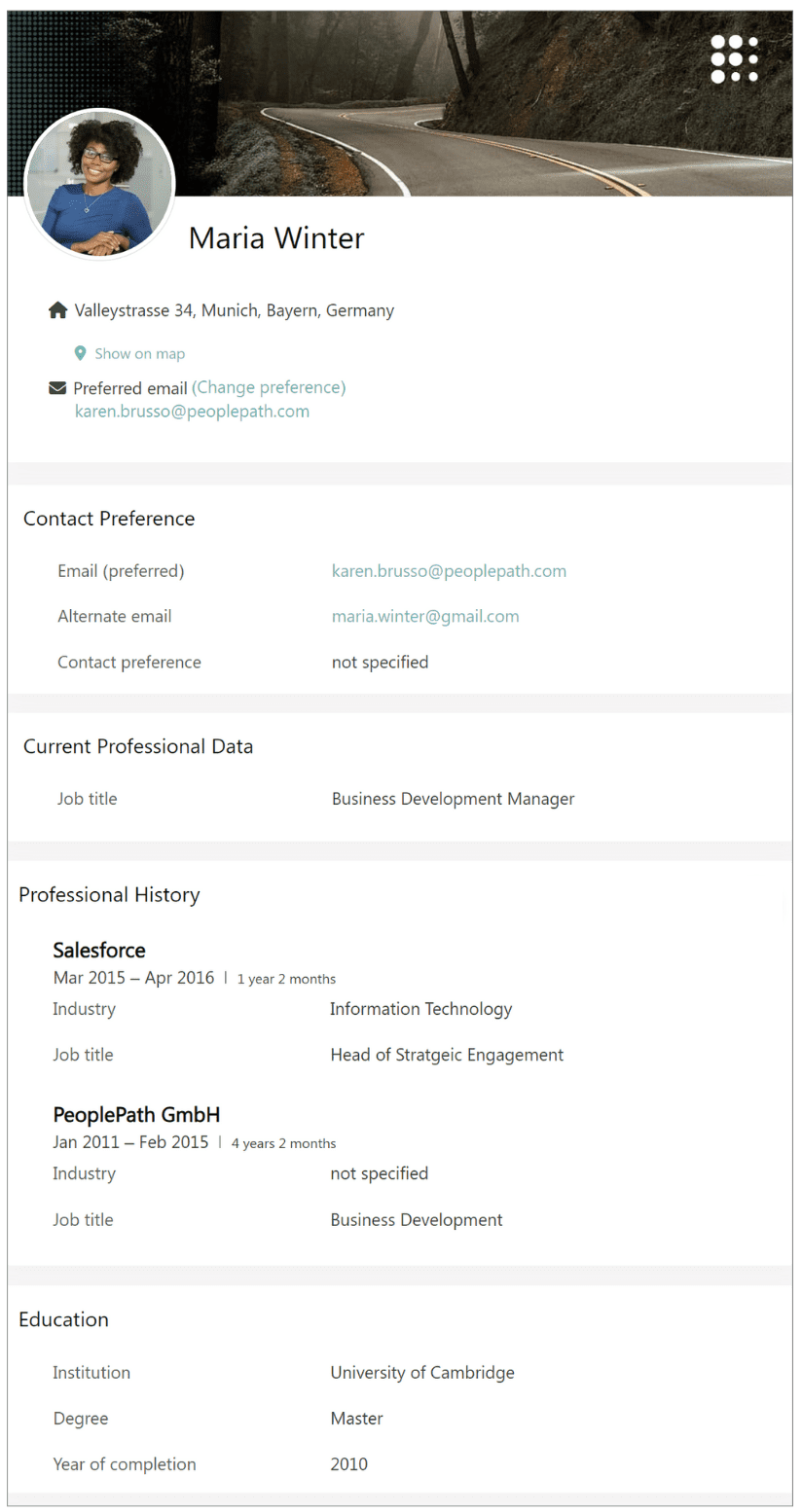 During program launches, alumni invest time in updating their profile data, voluntarily sharing valuable information such as:
- Company history
- Last office
- Current company and job title
- Home address
- Email addresses
- …and more!
What we do with that data matters. In the case of PeoplePath, we can create precision and personalization that a customer wants. We have a lot of time saving features and automated workflow options to make an alumni program manager’s job easier. For those features to function properly, a well-maintained data system is required.
For example, imagine creating an invitation list for an upcoming event excluding a specific alumni segment for a save the date and encountering difficulties due to inaccurate information. That invitation would likely not go to the right people, and instead go to the ones needing to be excluded.
Why Do You Need Integrations?
One of an alumni program platform’s core purposes is to serve as a reliable data aggregator for actionable insights. Many organizations opt for integrations to sync with various internal software systems, enhancing processes like program registration, job applications, and maintaining current user data. This post focuses on the integrations commonly involving the Human Resources Information System (HRIS), Client Relationship Management (CRM) system, and the PeoplePath platform.
Integrations have multiple purposes:
- Coordinates the leaver process – Ahead of their departure, an employee is tagged as a “leaver” in your organizational HRIS system. This action sends their status and details to the CRM or directly to the PeoplePath platform, including their personal email, which should be collected during the offboarding process to ensure post-departure communication. Automated invitations and reminders for the alumni program are initiated based on their departure date.
- Streamlines registration processes – User profile fields can be populated automatically in the PeoplePath platform during registration from either your HRIS or CRM. This automatically validates registration data, reducing manual effort and simplifying the profile completion process for registrants.
- Provides a source of truth – Ensuring a reliable “source of truth” for user data is crucial. Organizations can choose a one-way sync, making either the PeoplePath platform or the CRM the primary source of current data, or a two-way sync for seamless, synchronized updates between both systems.
Examples of when bad data flows impact functionality:
- Overriding new profile data with outdated information – Results in incorrect data.
- Not collecting email addresses consistently at the time of departure – Results in not welcoming alumni to the program at a critical time.
Tips to Navigate Data Paths for Strong Integrations
Collaborate with key technical experts early on: The alumni team should connect with their IT lead, who oversees software systems and has detailed knowledge about data flows. Before starting integrations, the PeoplePath team provides a detailed technical document for review by the IT lead, offering essential context for correct setup.
Perform an exercise to create a data-flow chart: Create a comprehensive map detailing potential data sources and flow directions for your CRM or HR with the platform, including even those less evident.
Consider the data format: The specific data format, particularly dates, is a critical consideration. It’s essential to verify that field types and selection list values align with those in the CRM for successful mapping.
Establish a source of truth: Check if a legacy system is still syncing with your CRM, potentially updating it with outdated information. Decide on the primary storage location for the latest user data and choose between a one-way or two-way sync. Coordinate with relevant teams to prevent data conflicts based on sync direction.
Documentation, documentation, documentation! Once you identify data flows, document the rules and structure. This documentation ensures consistency when transitioning to a new system or connecting with others, guiding subsequent integrations.

A thorough understanding and mapping of data journeys are essential for seamless alumni management software integrations in alumni platforms. Neglecting these intricate paths can pose challenges, affecting alumni program launches, user data accuracy, and personalized campaigns. To navigate well, collaborate with tech experts, create clear data-flow charts, consider data formats, set a reliable source of truth, and document thoroughly for robust integrations.